Visualization#
Simple parameter sweeps#
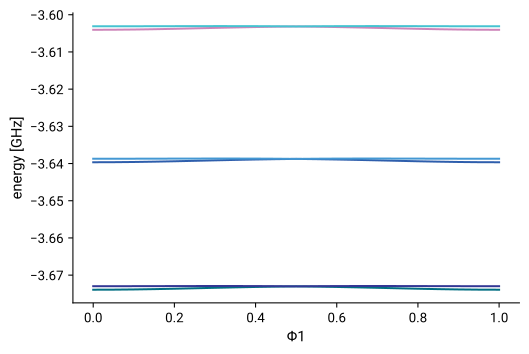
Plotting the energy spectrum with varying one of the circuit parameters works just as for other qubit classes. For example:
[3]:
import numpy as np
zero_pi.plot_evals_vs_paramvals("Φ1", np.linspace(0,1,21), num_cpus=4);
Potential: symbolic expression and visualization#
The expression of the potential is obtained from potential_symbolic:
[4]:
zero_pi.potential_symbolic
[4]:
0.008*θ3**2 + 0.032*θ2**2 - EJ*cos(1.0*θ1 - 1.0*θ3) - EJ*cos(-Φ1 + 1.0*θ1 + 1.0*θ3)
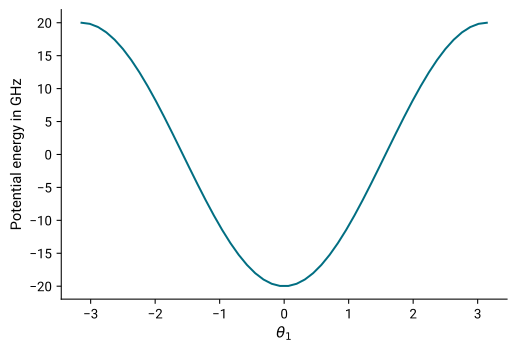
The potential can be visualized using plot_potential.
For the zero-pi example, there are three degrees of freedoms \((\theta_1, \theta_2, \theta_3)\). We can either fix all but two, or all but one variable. This produces either a contour plot of the potential within the selected 2d region,
[5]:
zero_pi.plot_potential(θ1=np.linspace(-np.pi, np.pi),
                       θ3=np.linspace(-6*np.pi, 6*np.pi, 200),
                       θ2 = 0.);

or a line plot when only one variable is specified with a range:
[6]:
zero_pi.plot_potential(θ1=np.linspace(-np.pi, np.pi), θ3=0, θ2 = 0);
Plotting the wavefunction#
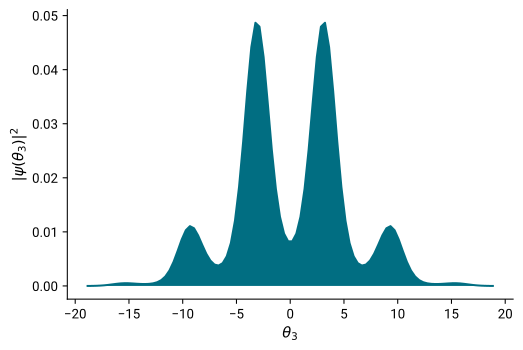
Plots for the probability density of the wavefunction are obtained with plot_wavefunction. This method takes two arguments: which specifies the energy eigenstate for which the wavefunction is plotted, var_indices specifies the variable axis along which the wavefunction is plotted. The probability density is summed over the non-specified variable indices.
[7]:
zero_pi.plot_wavefunction(which=0, var_indices=(3,));
A maximum of two variable indices can be specified for a plot:
[8]:
zero_pi.plot_wavefunction(which=0, var_indices=(1,3));

To avoid diagonalizing the system for every call of plot_wavefunction, we can diagonalize the system once using eigensys and use it to plot the wavefunction repeatedly.
[9]:
eigensys = zero_pi.eigensys()
zero_pi.plot_wavefunction(which=1, var_indices=(1,3), esys=eigensys);
